MBTA Bus Stop
Tools
UI/UX
Industry
Transportation
Year
2025
Description
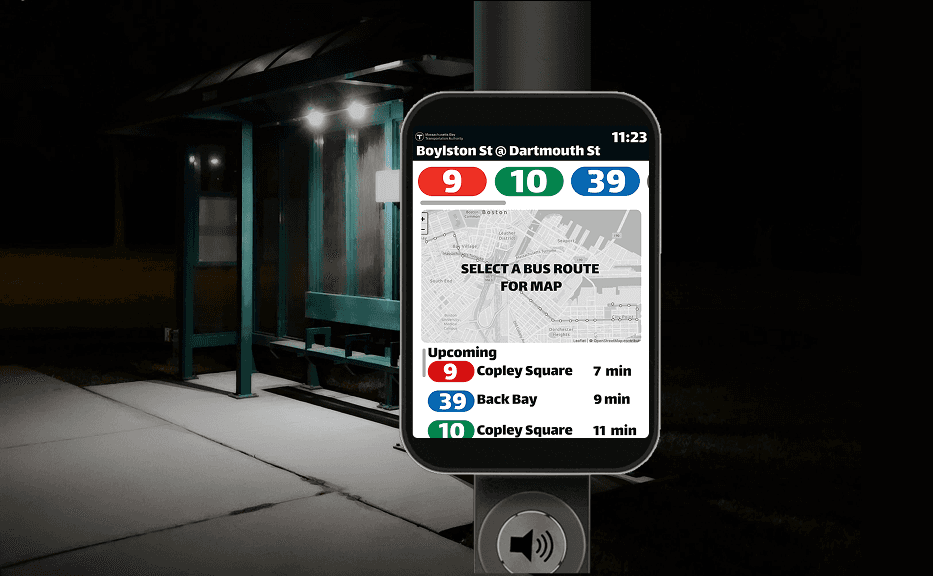
A UI/UX REDESIGN OF THE MBTA BUS STOP EXPERIENCE — INTRODUCING AN INTERACTIVE DIGITAL STATION THAT HELPS RIDERS SIGNAL THEIR PRESENCE AND ENSURES NO ONE GETS LEFT BEHIND.
ABOUT
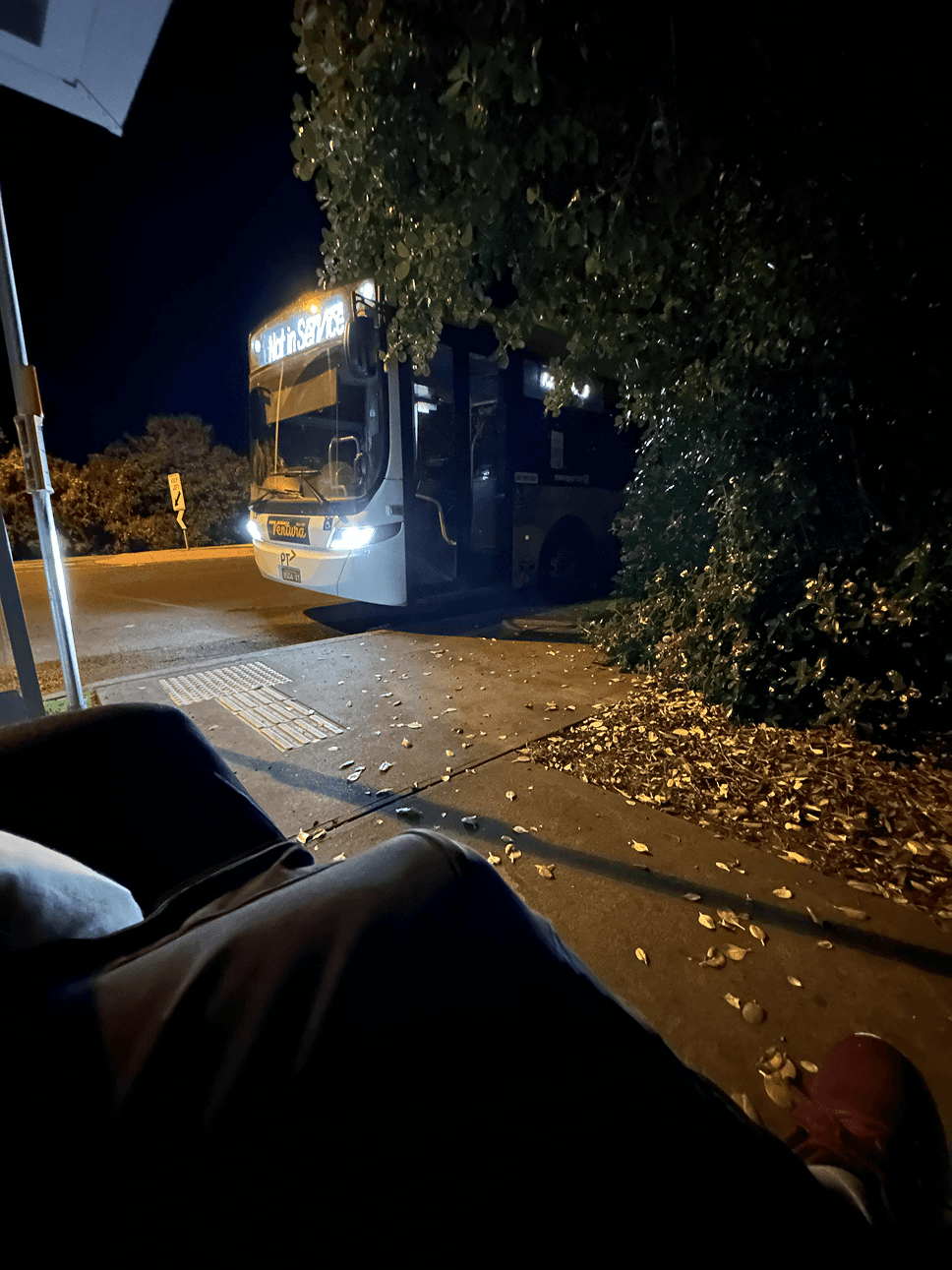
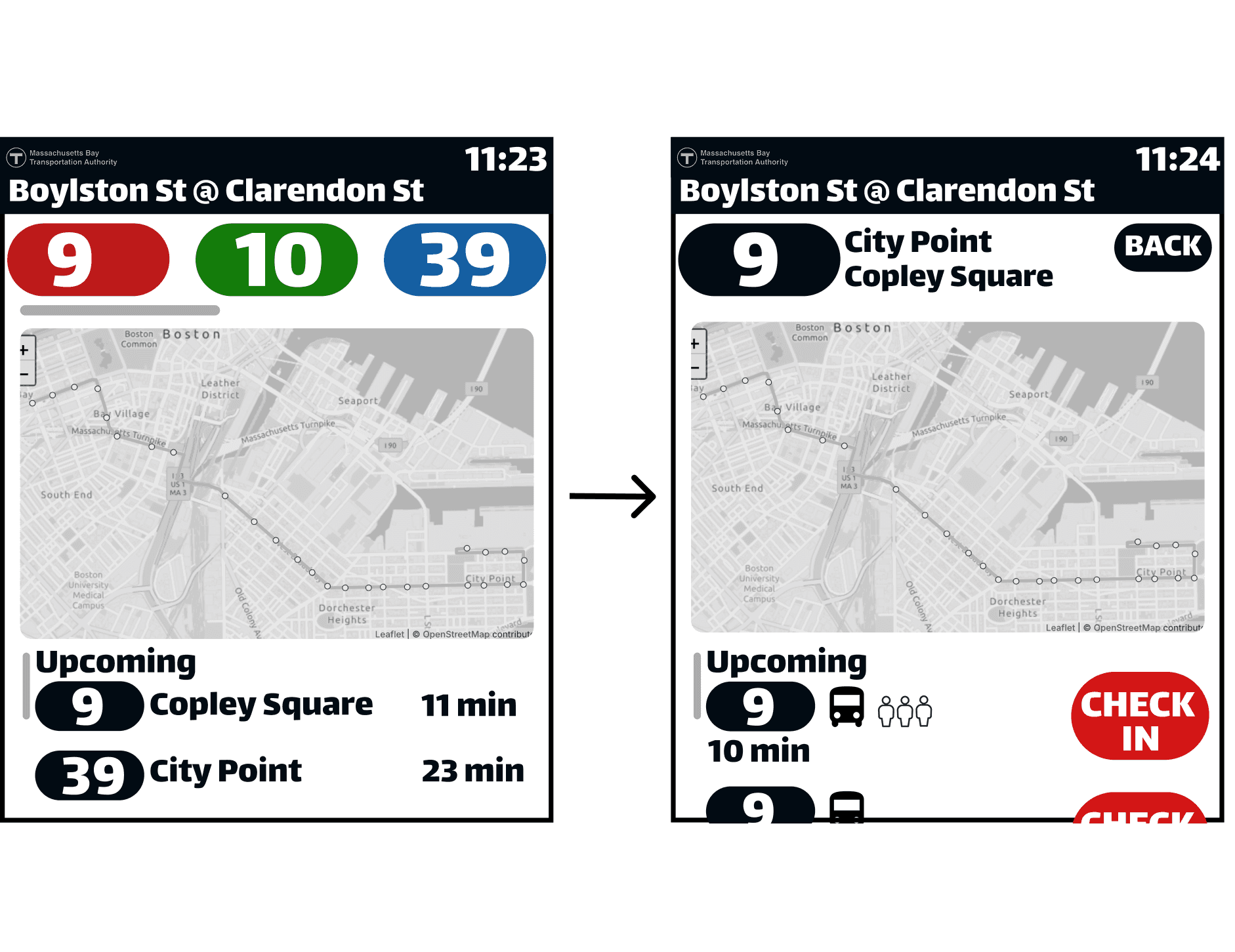
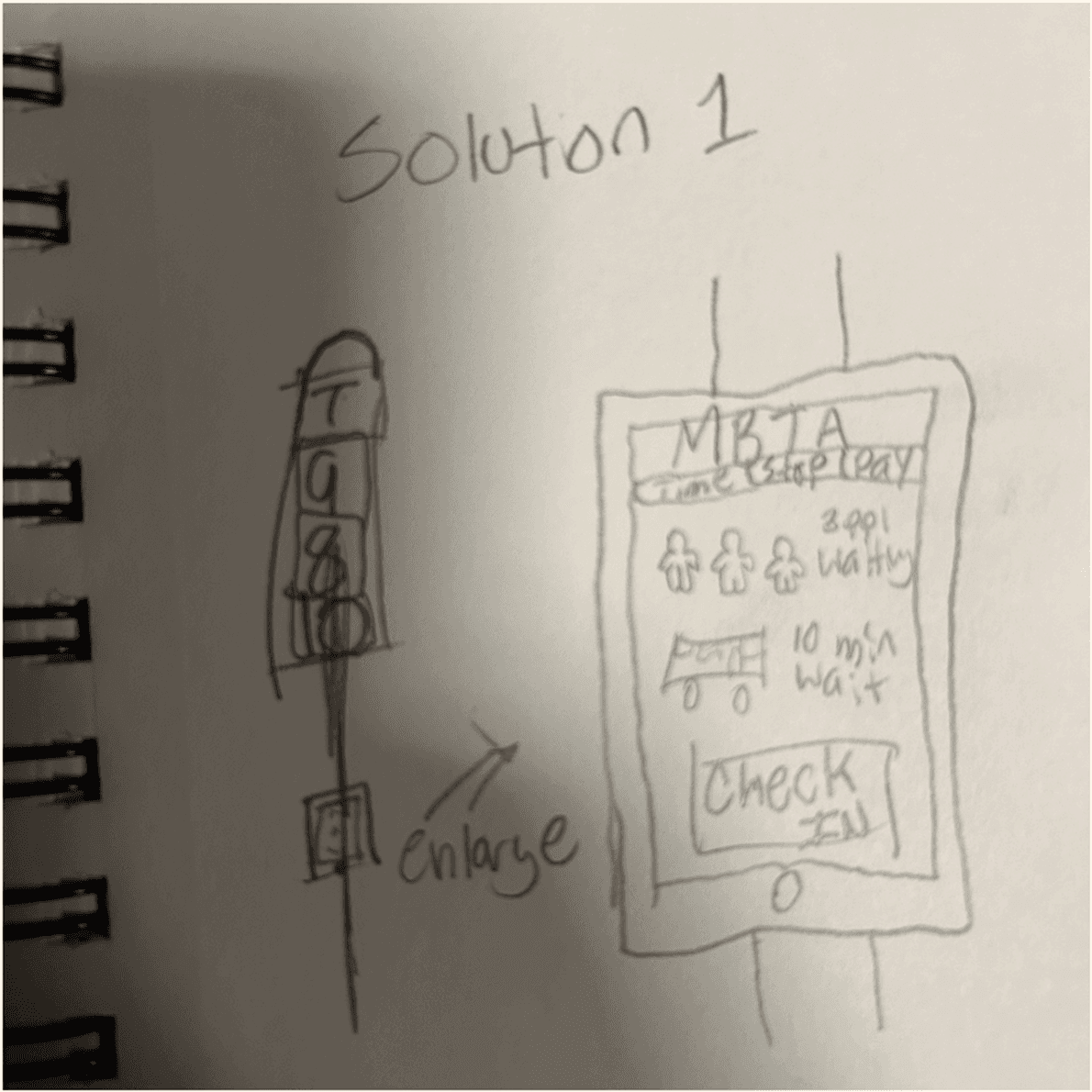
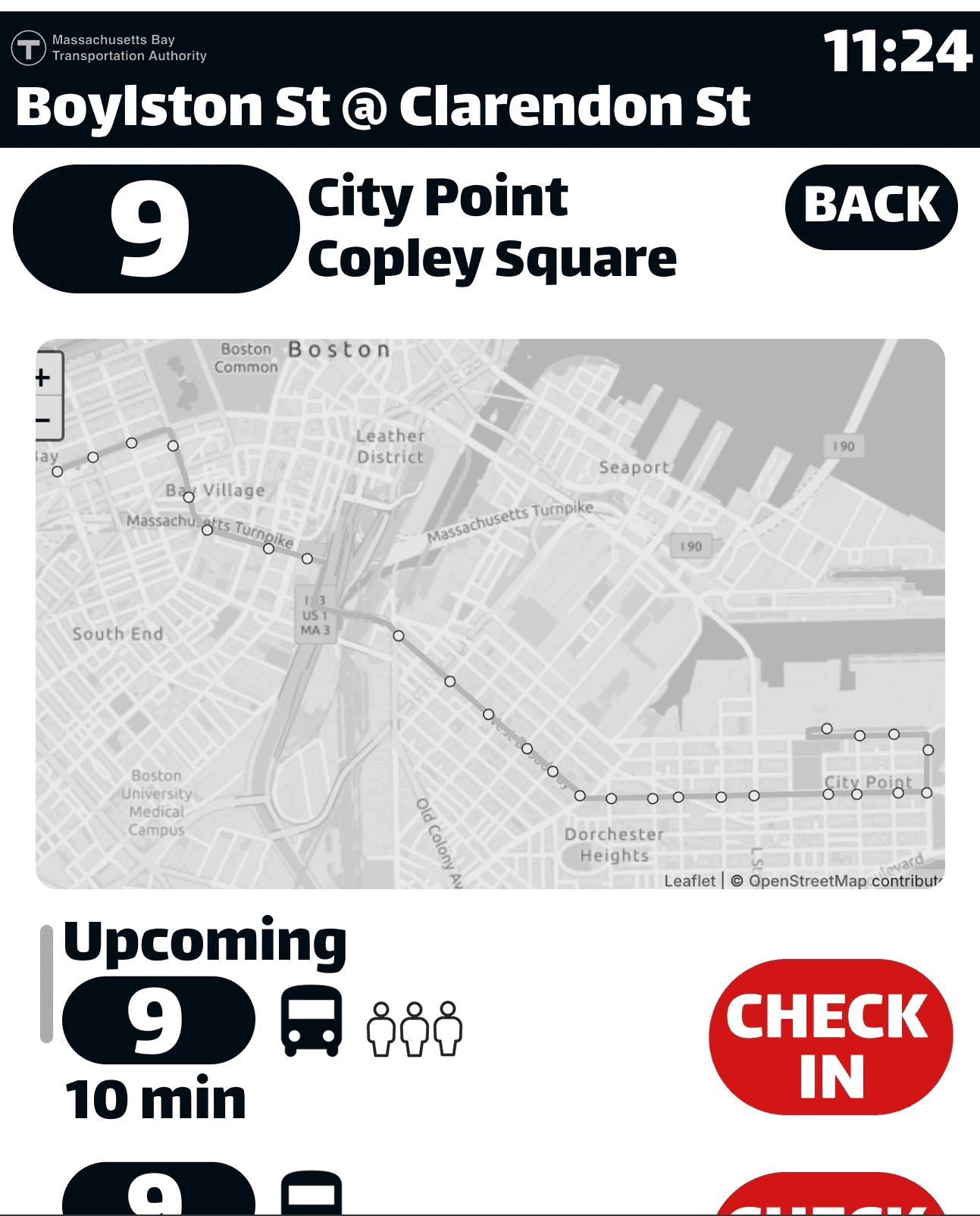
In low visibility conditions like at night, in bad weather, on dimly lit streets bus drivers rely almost entirely on sight to determine whether someone is waiting at a stop. If a rider isn't visible enough, they get skipped. It's a simple, fixable problem that affects thousands of daily commuters. This project asked designers to identify a real transit pain point and propose a system-level solution. I focused on the MBTA bus network in Boston and zeroed in on the bus stop itself as the place where the breakdown happens. The system was designed to benefit anyone who rides the bus, but the primary users are the people most affected by the visibility gap: nighttime riders, elderly passengers, students, and anyone who wants reassurance that the driver knows they're there. Bus drivers are an equally important user as a clearer signal from the stop means fewer missed riders and a smoother route overall. I designed a digital screen station for MBTA bus stops featuring route information, a live map, and a real-time clock but the centerpiece is a rider check-in system. Similar to pressing the stop button from inside the bus, this feature lets someone waiting outside notify the approaching driver that a passenger is at the stop. It's a simple interaction with a meaningful impact: the driver gets a signal, the rider gets picked up, and the anxiety of wondering whether you've been seen disappears.
ABOUT
In low visibility conditions like at night, in bad weather, on dimly lit streets bus drivers rely almost entirely on sight to determine whether someone is waiting at a stop. If a rider isn't visible enough, they get skipped. It's a simple, fixable problem that affects thousands of daily commuters. This project asked designers to identify a real transit pain point and propose a system-level solution. I focused on the MBTA bus network in Boston and zeroed in on the bus stop itself as the place where the breakdown happens. The system was designed to benefit anyone who rides the bus, but the primary users are the people most affected by the visibility gap: nighttime riders, elderly passengers, students, and anyone who wants reassurance that the driver knows they're there. Bus drivers are an equally important user as a clearer signal from the stop means fewer missed riders and a smoother route overall. I designed a digital screen station for MBTA bus stops featuring route information, a live map, and a real-time clock but the centerpiece is a rider check-in system. Similar to pressing the stop button from inside the bus, this feature lets someone waiting outside notify the approaching driver that a passenger is at the stop. It's a simple interaction with a meaningful impact: the driver gets a signal, the rider gets picked up, and the anxiety of wondering whether you've been seen disappears.
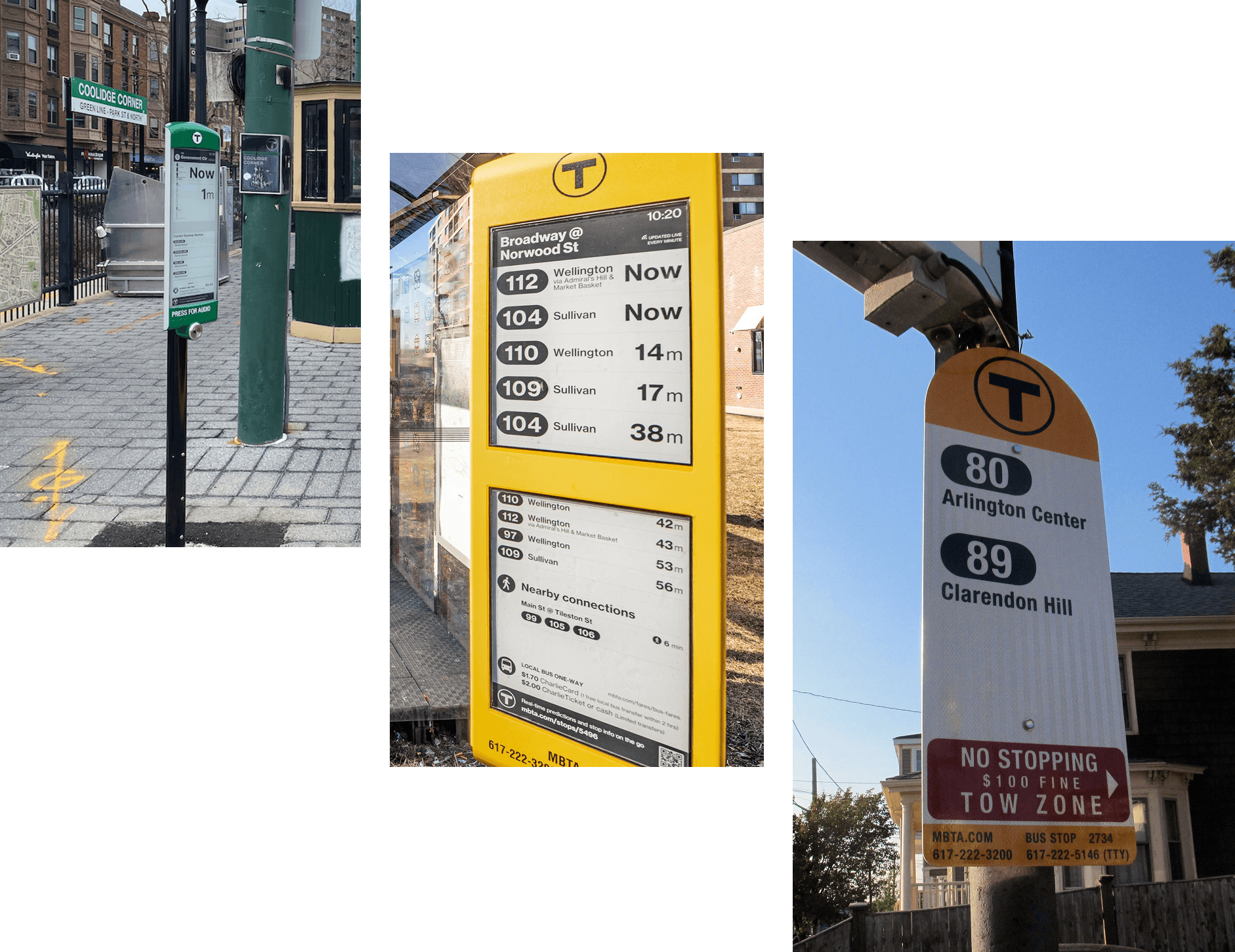
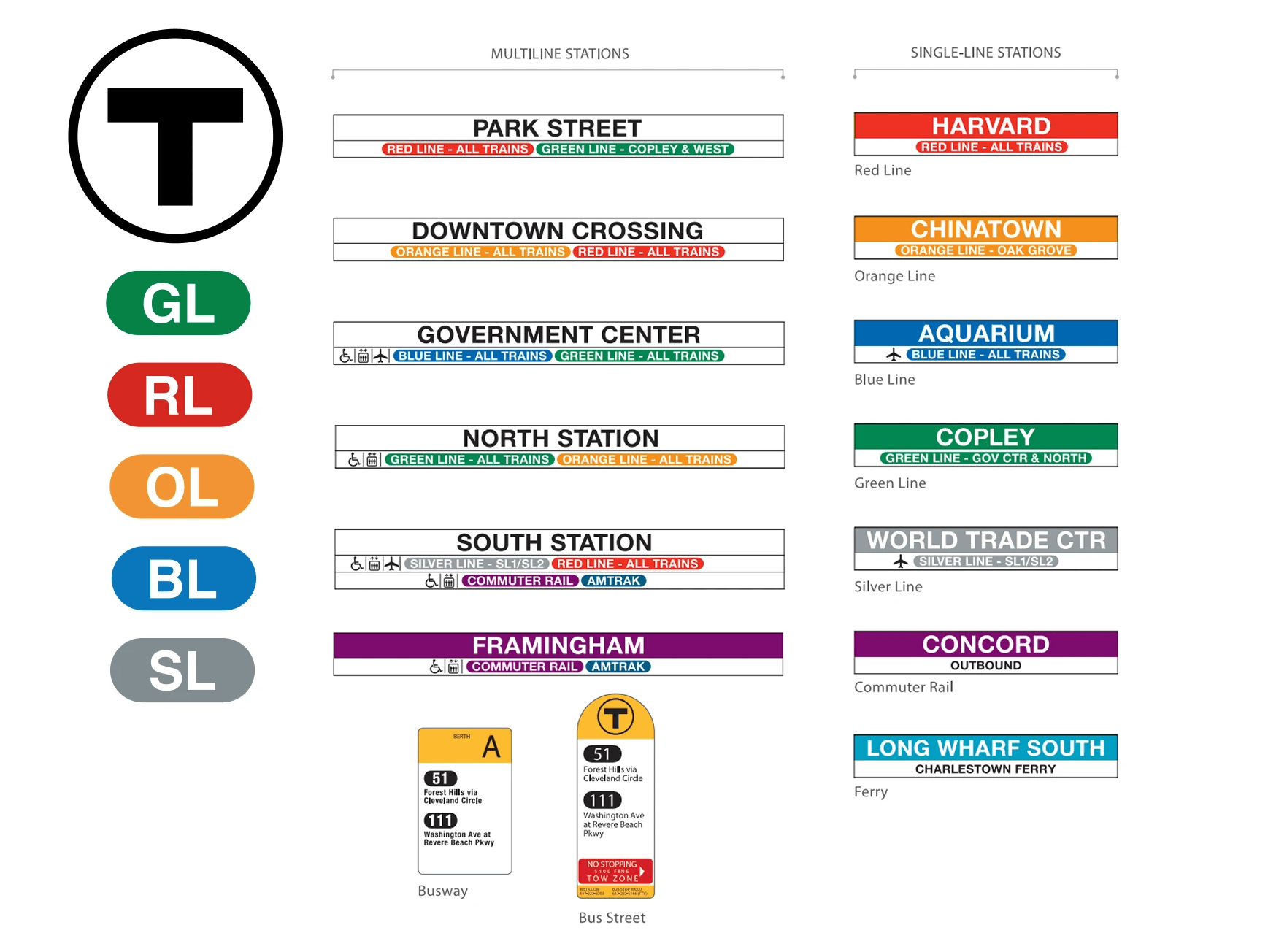
The project started with observation. Boston already has non-touchscreen transit signs installed at some stops they display route info and arrival times, but nothing more. I wanted to expand on that foundation rather than replace it, which shaped the entire design approach. The question wasn't what should a bus stop look like but what does this one already do, and what's it missing? Designing within MBTA's existing system was a deliberate constraint that actually made the work stronger. By using their established visual language like the fonts, the colors, the icon style the interface reads as instantly credible and already belongs in the city. It didn't need to announce itself as new; it just needed to feel like it had always been there. The main design challenge was the check-in interaction itself. It had to be simple enough to use at a glance, accessible to elderly riders and people unfamiliar with touchscreens, and clear enough that drivers understood what the signal meant on their end. Prototyping the flow in Figma helped work through the logic of the interaction step by step: what the rider sees, what happens after they check in, and how that information travels.
PROCESS & CHALLENGES
FINAL THOUGHTS
The final prototype is cohesive and feels authentic to the MBTA system which was the goal. Designing within an existing visual framework rather than inventing one from scratch forced a kind of discipline that made every decision more intentional. The most important next step I didn't get to do is real-world testing. Deploying even a small number of screens at active Boston bus stops or running usability sessions with students who regularly ride the bus would surface friction points that a Figma prototype can't catch. From there, I'd iterate on what isn't working before scaling further. On the feature side, the map is the biggest opportunity. Right now it's static, which is functional but limited. A fully interactive map that can be zoomable, view each stop-by-stop, something similar to Google Maps in behavior. I think this would dramatically increase the usefulness of the station for riders trying to navigate unfamiliar routes.